
Digiscoping: How to Photograph Birds Through a Scope
Digiscoping puts a phone behind your scope for huge reach at low cost. How to kill vignetting, lock focus, and get usable eBird documentation shots.
The short answer
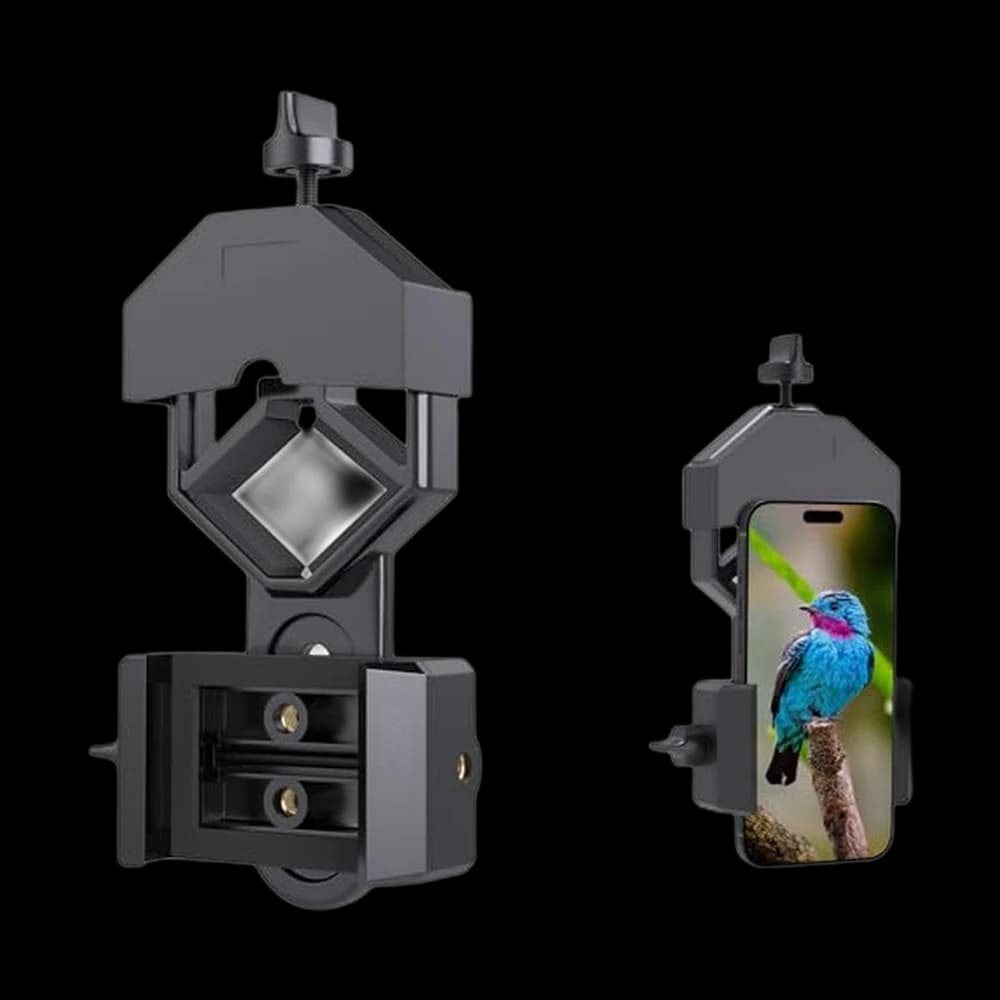
- Casual digiscopers wanting a cheap metal clamp at $17.99 that fits most phones and 28-47mm eyepieces.
- You need dependable alignment; buyers frequently flag fit, setup, and getting the camera centered. Rated 4.0 stars on about 14,000 ratings, just under our usual 4.3 bar.
Key takeaways
- Reach for pennies. A scope you already own plus a $20-$100 adapter out-reaches telephoto lenses costing ten times more.
- Documentation beats beauty. eBird states plainly that even poor-quality media can conclusively establish an identification — a blurry digiscoped record shot is real evidence.
- The tripod matters more than the adapter. Every wobble is magnified 20-60x; a shaky tripod ruins shots no adapter can save.
- Kill vignetting with the scope, not the phone. Zoom the scope eyepiece up until the dark circle closes; avoid your phone's digital zoom, which just degrades the image.
Pick by your situation
| If your situation is… | Pick | Why |
|---|---|---|
| If you just want defensible eBird documentation on a budget | A universal clamp adapter plus the scope and tripod you already own | Record shots only need to be identifiable, and eBird explicitly accepts poor-quality media as valid evidence. |
| If you switch phones often or share the scope | A universal clamp-style adapter over a case-based system | Clamps cover a stated size range, but camera clearance still needs checking. A moulded case must match the exact phone model. |
| If you chase rarities and need to be shooting within seconds | A case-based adapter you can snap on and off the eyepiece | Fixed alignment means no fiddling with clamp screws while the bird flies. |
| If your images are consistently soft despite good technique | Upgrade the tripod before the adapter | Vibration is magnified by the scope's power, so stability limits sharpness more than the phone mount does. |
| If you mostly photograph active, moving birds | Shoot video and export the sharpest frame | A far higher hit rate than stills, and a pulled frame is still usable documentation. |
A shortcut by situation — start from the row that sounds like you.
Phone Digiscoping Adapters: our picks
| Pick | Best for | Rating | Price | |
|---|---|---|---|---|
| TopGOSKY Smartphone Adapter Mount Regular Size - Compatible with… | Cheap, near-universal clamp. | ★ 4 Amazon | $17.99 | Buy on Amazon |
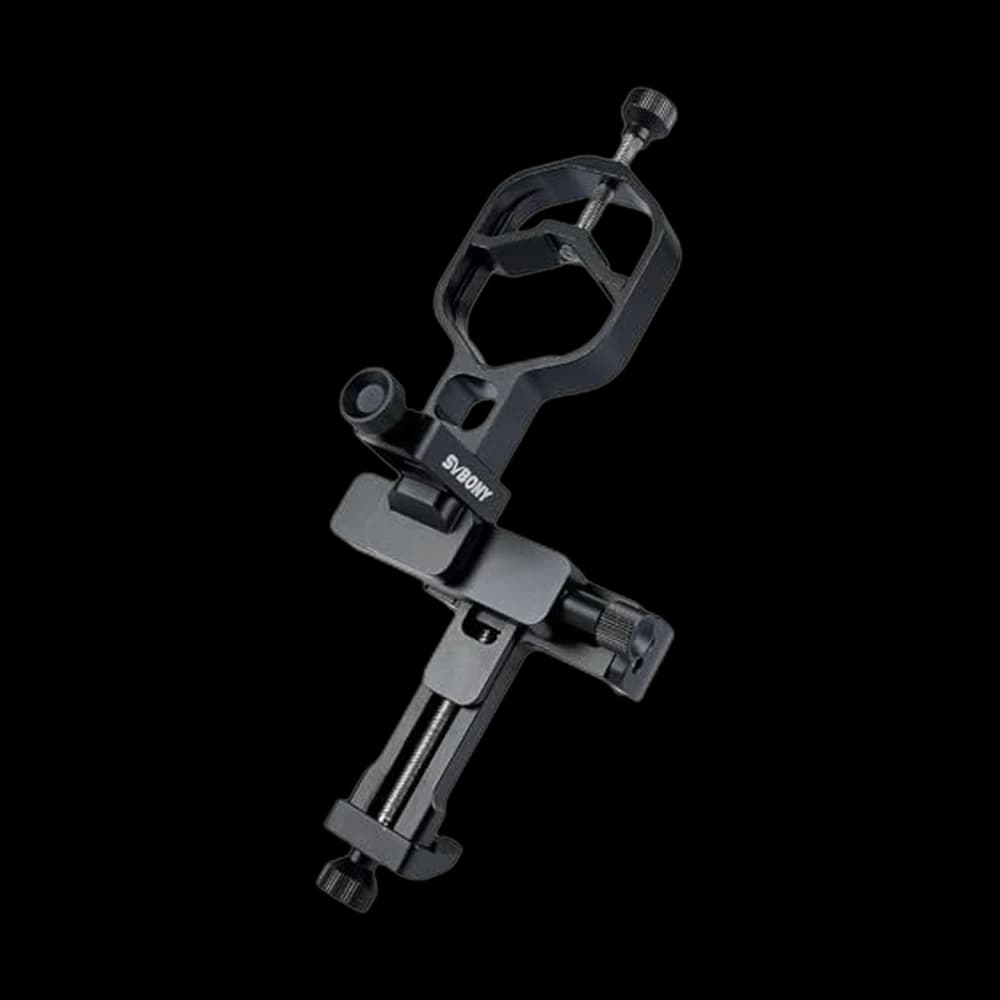 SVBONY SV214 Pro Universal Phone Adapter for Telescope, Spotting… SVBONY SV214 Pro Universal Phone Adapter for Telescope, Spotting… | Includes a Bluetooth shutter remote. | ★ 3.8 Amazon | $49.99 | Buy on Amazon |
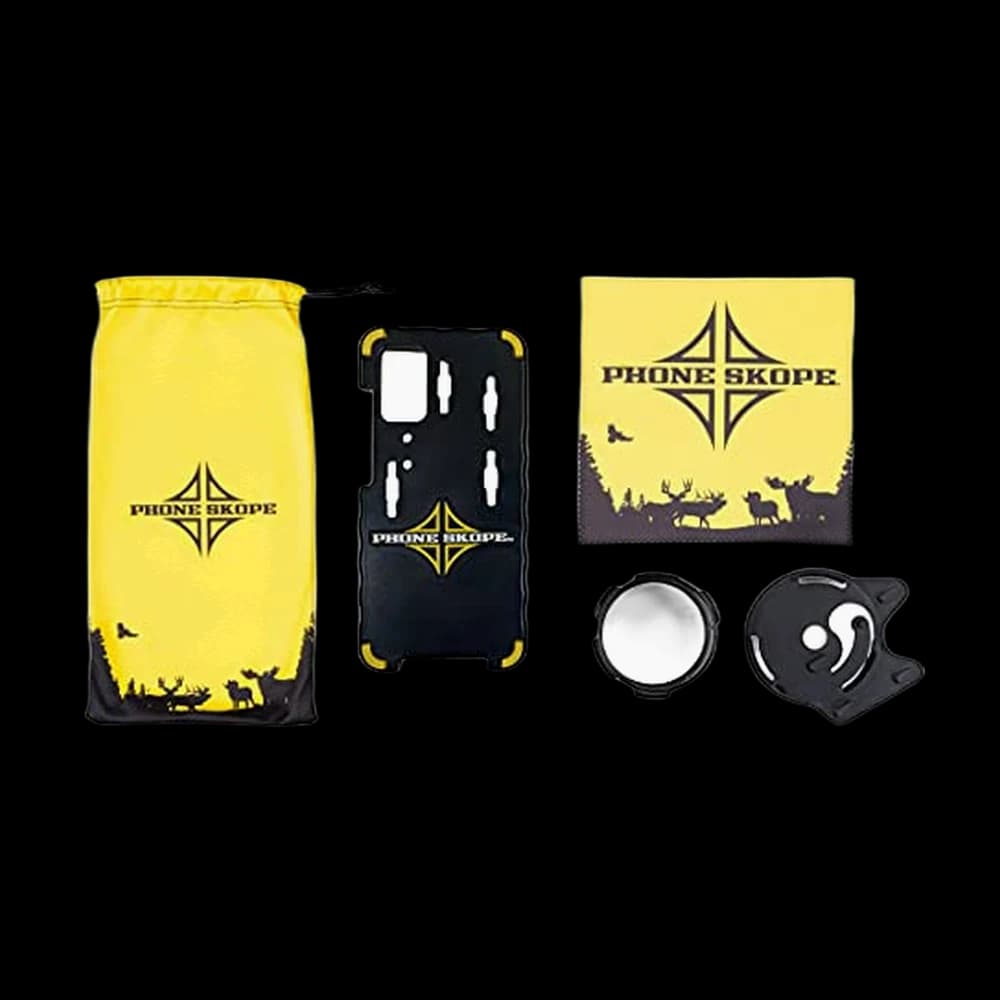 Phone Skope Complete Digiscoping Kit: Phone Scope Mount Case, Eyepiece Adapter… Phone Skope Complete Digiscoping Kit: Phone Scope Mount Case, Eyepiece Adapter… | Phone case plus an eyepiece adapter matched to your optic. | ★ 3.5 Amazon | $99.00 | Buy on Amazon |
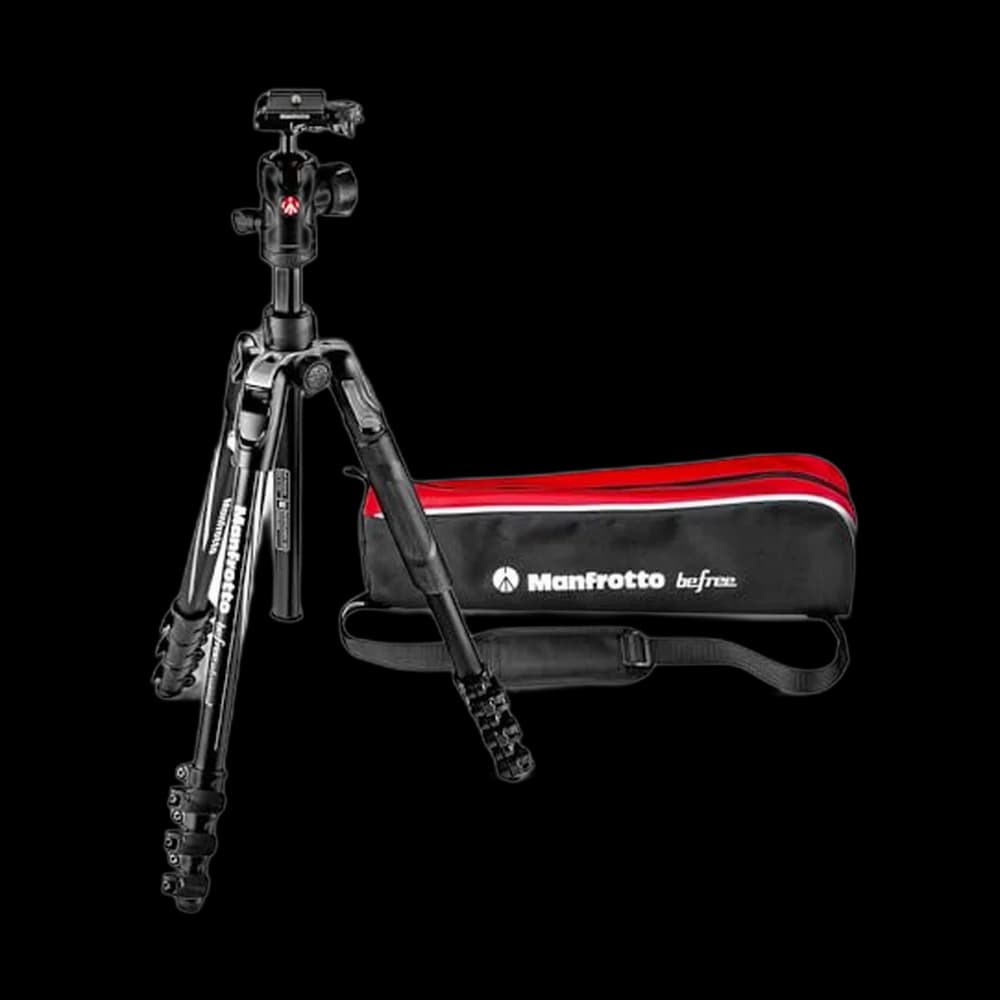 Manfrotto Befree Advanced Camera Tripod with Lever Closure,… Manfrotto Befree Advanced Camera Tripod with Lever Closure,… | Compact, sturdy, travels well. | ★ 4.4 Amazon | $199.95 | Buy on Amazon |
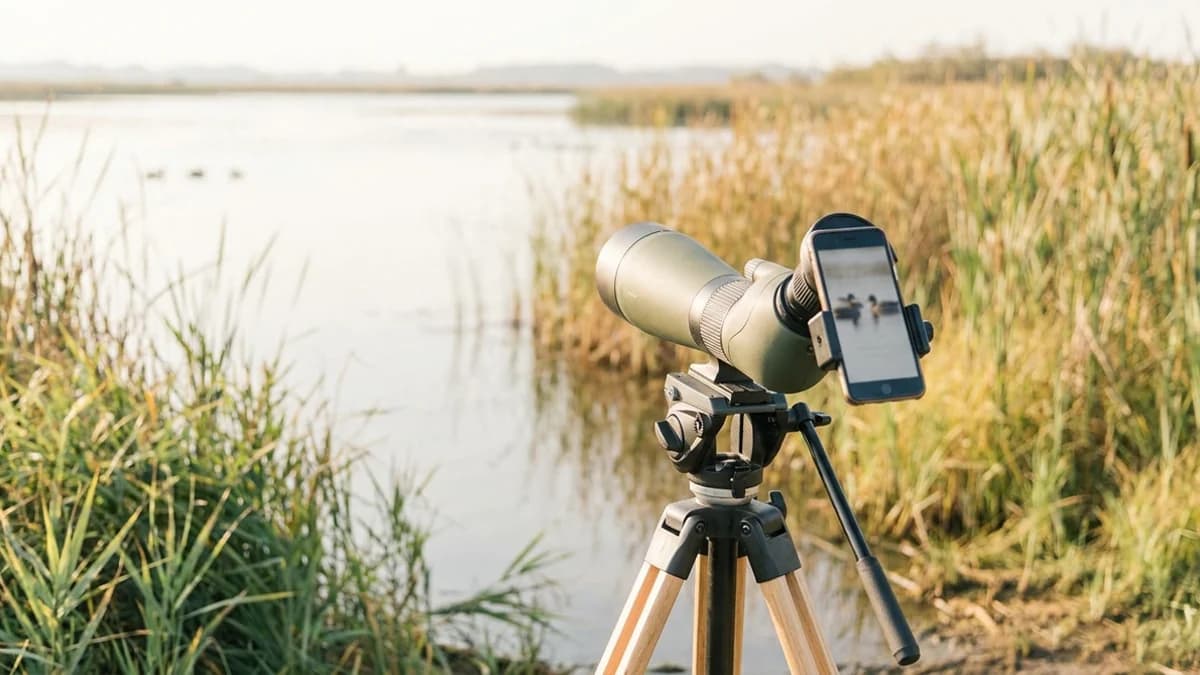
DigiscopingTaking photos by holding a phone or camera up to a spotting scope or binocular eyepiece. is taking photos through a spotting scope's eyepiece with a phone or compact camera — and if you already own a scope, it is by far the cheapest route to serious reach in bird photography.
The math is the whole appeal. A 20-60x scope on a tripod, plus an adapter in the $20-$100 range, produces framing that would otherwise require a telephoto lens costing well over a thousand dollars.
The honest catch: it is fiddly. Alignment drifts, focus hunts, and moving birds are genuinely hard. Go in expecting a record, not a portfolio piece.
Digiscoping is really about documentation
Most digiscoped photos are not art. They are evidence — and that is the point.
When you report a rarity, eBird flags the record and asks for documentation. Their own guidance is refreshingly blunt: even poor-quality media can conclusively establish an identification, and a digiscoped photo taken through your optics is still documentation and still valuable.
A soft, slightly dark frame that clearly shows a wing bar or a bill shape does the job a 600mm lens would have done, at a fraction of the cost.
Practical rule: shoot first, compose second. Get one identifiable frame in the bag before you start fussing with alignment — rare birds rarely wait.
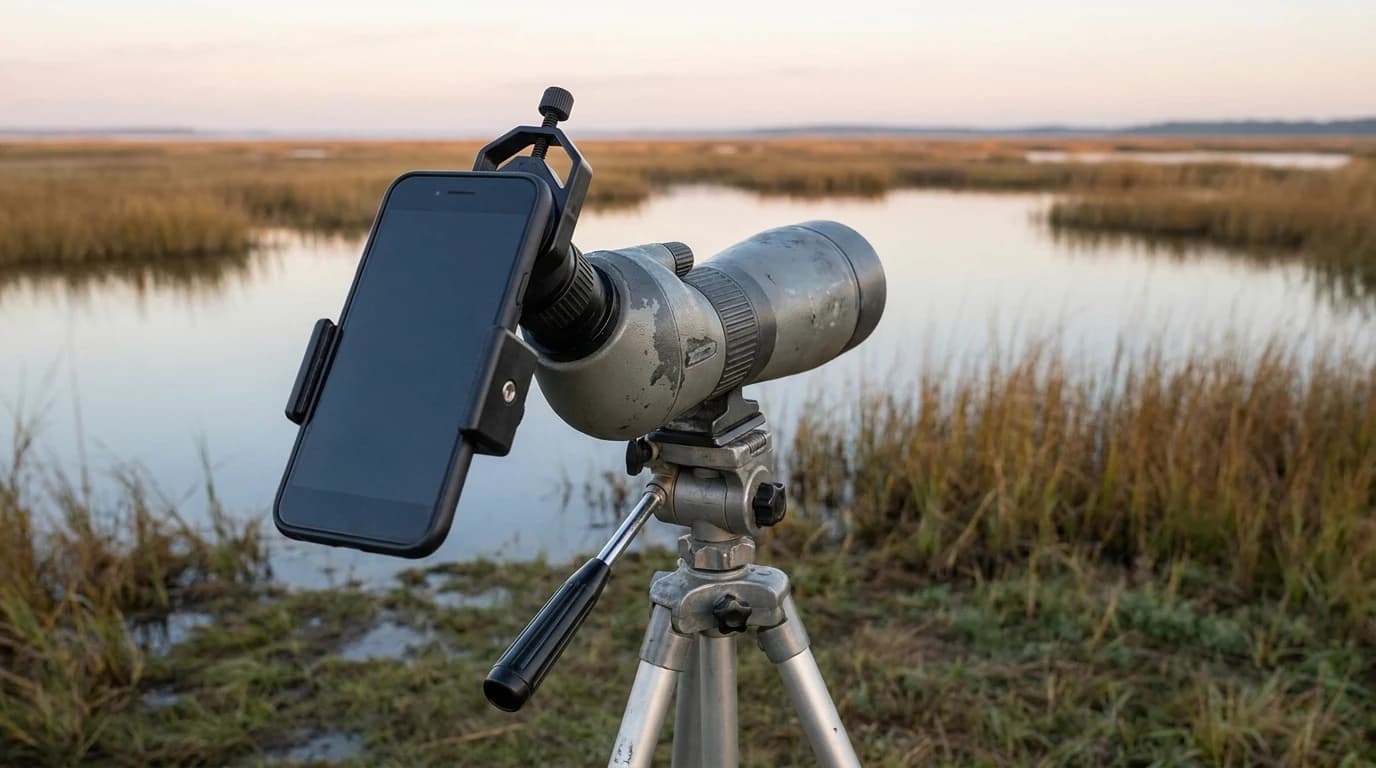
Why hand-holding a phone to the eyepiece fails
You can hand-hold a phone to the eyepiece. Birders do it constantly. It is also the most frustrating way to digiscope.
What goes wrong hand-held:
- Alignment is a moving target. A millimetre of drift swings the image off-centre or plunges it into black.
- You need three hands. One for the phone, one for the focus wheel, one for the shutter.
- Eye relief is unforgiving. Too much gap between phone lens and eyepiece widens the dark circle.
What an adapter changes:
- It clamps the phone at a fixed distance, so alignment stops being something you manage.
- It hands you back the focus wheel and the shutter, and lets you concentrate on the bird.
- Universal clamps fit almost anything but need more field fiddling; case-based systems snap on fast but only fit one phone.
The Gosky Phone Adapter is the common budget entry point; SVBONY SV214 Pro and the case-based Phone Skope Complete Kit, whose eyepiece adapter is matched to your scope, sit a tier up.
Vignetting: closing the dark circle
Vignetting is the black ring around your image, caused by a mismatch between the scope's exit pupil and your phone's lens. The fix is counterintuitive.
Zoom the scope, not the phone. Kowa's digiscoping guidance is explicit: when a black circle appears, use the zoom of the spotting scope eyepiece to remove it rather than reaching for the phone's digital zoom, which only throws away pixels.
| Problem you see | What to change | Why |
|---|---|---|
| Thick black ring | Zoom the scope up (e.g. 20x → 30x) | Widens the projected image to fill the sensor |
| Image dim and mushy | Zoom the scope back down | Higher power dims the view and magnifies shimmer |
| Off-centre dark crescent | Re-seat the adapter | Phone lens is not concentric with the eyepiece |
| Soft, low-detail frame | Stop using phone digital zoom | It crops and interpolates, adding nothing |
The sweet spot is the lowest scope magnification that still clears the vignette. A little residual darkness in the corners is fine; crop it later.
Your tripod matters more than your adapter
This is the part beginners underestimate. At 30x, every tiny vibration is magnified 30 times.
- A rock-solid tripod and a smooth fluid-style head do more for image quality than upgrading your adapter.
- Lock the pan and tilt once the bird is centred, then let go of the rig entirely.
- Trigger the shutter with a Bluetooth remote, wired-earbud volume button, or the self-timer — Audubon recommends the headphone-button trick for windy days.
- Hang your pack from the centre column in wind.
A steady tripod like the Manfrotto Befree Advanced is a better first upgrade than a fancier phone clamp.
Lock focus and exposure, don't chase them
Phone cameras hunt when they see a busy background. Take the decision away from them.
- Find and centre the bird through the scope first, at low power.
- Tap the bird on your phone screen, then press and hold — on iPhone this locks autofocus and auto-exposure together.
- Fine-focus with the scope's wheel, not the phone. Focus on the eye if the bird is still.
- If the bird is against bright sky or water, dial exposure down a touch so plumage detail survives.
Shoot video and pull frames
For an active bird — a foraging shorebird, a warbler working a hedge — video is the better tactic.
Roll ten to twenty seconds, then scrub through afterwards and export the sharpest frame. You trade some resolution for a far higher hit rate, and a pulled frame is still real documentation. Shoot horizontally.
One caveat if you plan to upload: eBird accepts JPEG and PNG up to 20 MB and wants original resolution, no watermarks, no heavy enhancement. A photo of your camera's LCD screen is acceptable only as a temporary placeholder.
The honest limits
DigiscopingTaking photos by holding a phone or camera up to a spotting scope or binocular eyepiece. is not a telephoto replacement, and pretending otherwise sets you up for disappointment.
- Low light is rough. Small phone sensors behind a narrow effective aperture mean dawn and dusk are noisy.
- Edges go soft. Corner sharpness falls off; keep the bird centred.
- Heat shimmer is undefeatable. Photography research on heat distortion is consistent: the effect grows with focal length, so long-range digiscoping over sun-baked ground degrades no matter what you spend. Shoot early, from a higher angle, or get closer.
- Moving birds are hard. Flight shots are largely off the table; perched and wading birds are the realistic targets.
Accept those limits and digiscoping becomes what it should be: a cheap, packable way to turn "I think that was a Ruff" into a checklist record nobody can argue with.
Fit checklist before buying
Measure phone width including its case, the outside eyepiece barrel where the clamp grips, and clearance for the camera bump and buttons. The adapter fit table distinguishes the SV214’s 28–48 mm and 44–64 mm variants and NexYZ’s clamp limits. A dimension inside a quoted range does not guarantee alignment. Confirm the exact variant rather than treating “universal” as a fit guarantee.
For a case-based system, order the correct phone case and optic fitting. Practice alignment on a stationary object at home. If your phone switches cameras while zooming, return to the aligned camera; tightening the clamp will not solve a lens switch.
Frequently asked
Is a digiscoped photo good enough for an eBird rare bird report?+
Yes. eBird's documentation guidance states that even poor-quality media can conclusively establish an identification, and specifically names digiscoped photos as valuable documentation. A blurry frame showing a diagnostic field mark is far better than no photo at all. Upload at original resolution in JPEG or PNG, under 20 MB.
Do I need an adapter, or can I just hold my phone to the eyepiece?+
You can hand-hold, and plenty of birders do — but it is slow and frustrating because alignment drifts constantly and you run out of hands for the focus wheel. An adapter fixes the phone at the right distance from the eyepiece so you can concentrate on the bird. Budget adapters start around $20.
How do I get rid of the black circle in my digiscoped photos?+
Increase the scope's eyepiece magnification until the dark ring closes, and re-seat the adapter so the phone lens sits concentric with the eyepiece. Avoid using your phone's digital zoom for this — it degrades image quality without solving the underlying mismatch. Any residual darkness can be cropped out afterwards.
What magnification should I digiscope at?+
The lowest setting that still clears the vignette, usually somewhere in the 20-40x range on a typical 20-60x scope. Higher power dims the image, narrows depth of field, and multiplies both camera shake and atmospheric shimmer. Most birders report the top of a scope's zoom range is rarely usable for photography.
Is digiscoping cheaper than buying a telephoto lens?+
Substantially, if you already own a spotting scope. An adapter costs roughly $20 to $100 versus $700 to $2,000 for a long telephoto lens plus a capable camera body. The trade-off is image quality, low-light performance, and the difficulty of photographing anything that moves quickly.
Sources & further reading
We research from primary and authoritative sources. Where our guidance rests on a fact, here's where it comes from.
- Smartphone Digiscoping Tips and Resources — Kowa Sporting Optics — Kowa's own digiscoping support page: lock the camera's focus to stop focus hunting, and when vignetting (black circles) appears use the zoom of the spotting scope eyepiece to remove it rather than the phone's digital zoom. Also recommends a remote shutter release for shake-free images.
- How to Document Your Sightings in eBird — eBird Help Center — Source for the documentation framing: states that even poor quality media can conclusively establish an identification, and names digiscoped photos taken through optics as still being valuable documentation.
- eBird/Macaulay Library Photo Upload Guidelines — eBird Help Center — Source for upload specifics: JPEG and PNG accepted up to 20 MB, upload at original resolution, no watermarks or timestamps, and back-of-camera LCD screenshots should only be temporary placeholders.
- How to Hack Your Smartphone to Take Good Photographs of Birds — Audubon — Source for field technique: use an adapter rather than hand-holding, tap the screen to autofocus and hold to lock focus and exposure together, use the headphone volume button as a remote release on windy days, and hold the phone horizontally for video.
- Heat distortion: how temperature can affect your image quality — EOS magazine — Source for the heat shimmer limit: heat haze is magnified as focal length increases, and mitigation is limited to shooting at cooler times of day, from a higher angle above the ground, at shorter focal lengths, or closer to the subject.
Prices and BirdingScores reflect our most recent research and refresh on a cycle; confirm the live price before buying. We may earn a commission from affiliate retailers — it never changes our recommendations. See how we review.